A real lockdown
A PIN-protected exit blocks Home, recents and closing the app, so guests only ever see your dashboard.

Kiosk Wall Panel locks a tablet or TV to one web page and keeps it running full screen, around the clock. Built for Home Assistant and smart-home panels — and just as good for a café menu.
Turn a tablet or TV into a locked-down wall dashboard.



A PIN-protected exit blocks Home, recents and closing the app, so guests only ever see your dashboard.
Keep the screen on, overlay the clock, battery and Wi-Fi, and dim to a screensaver when nobody is around.

Auto-start after a power cut, scheduled reloads and automatic recovery when Wi-Fi drops and returns.

Point it at Home Assistant, Hubitat, openHAB, Node-RED or any web dashboard. Rotate several pages on a timer so one panel can show lights, climate, cameras and energy in turn.
A PIN-protected admin page lets you reload, switch pages, change the URL, turn the screen on or off, or exit kiosk mode from any phone or computer on your network.
Enter your URL, set a PIN, choose your options. No sideloading, rooting or ADB.
Scheduled screen off and on — no burn-in, no wasted power.
Optionally wake the panel when someone walks up. Nothing is recorded or stored.
Menus, retail promos, meeting rooms, gyms and reception desks — anywhere a screen should show one page and never quit.
8 screenshots from the Google Play listing — tablet, TV and phone.


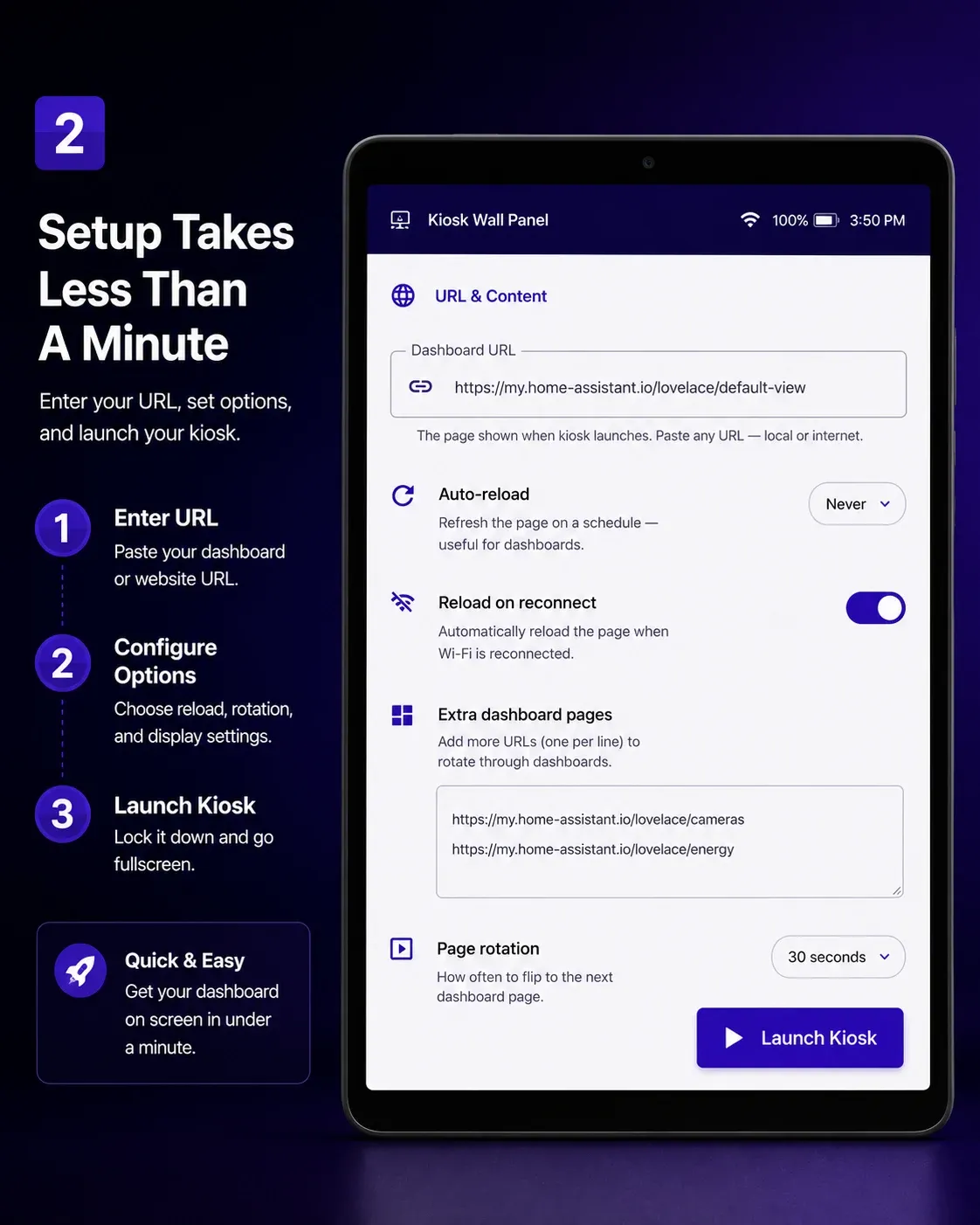


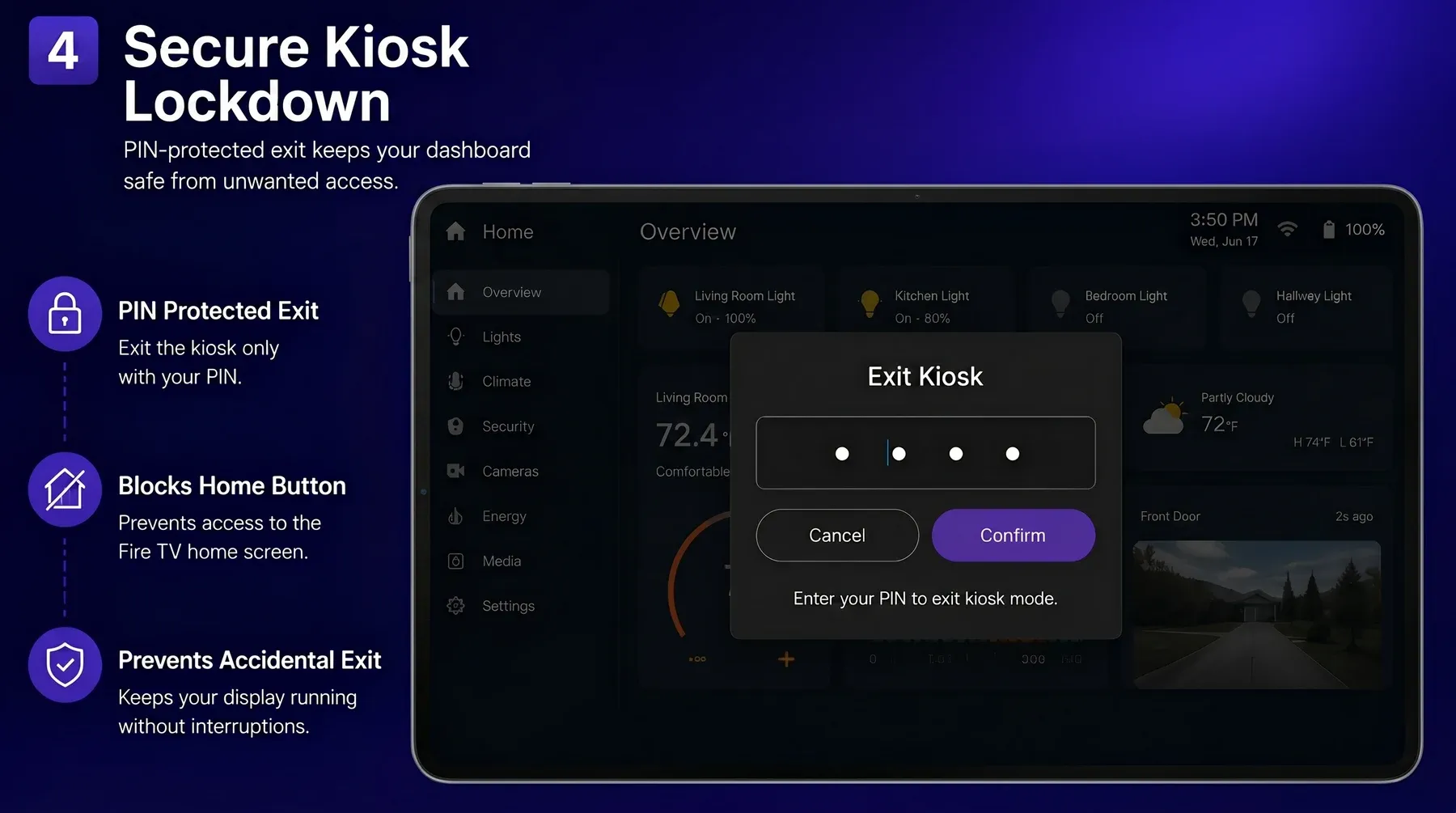


$1.99 on Google Play — pay once, keep it. Also on the Amazon Appstore.


 SayboldPrivate voice typing, processed on your device.
 PlainPageScan, search and sign documents, privately.
 BudgetPadA private budget calculator and spending tracker.
 FLM StudioA complete music studio for phone, tablet and TV.
 Total OfficeDocs, sheets, slides and PDFs in one offline app.
 Camera WallAll your local IP cameras on one calm screen.